
Volts to Float2
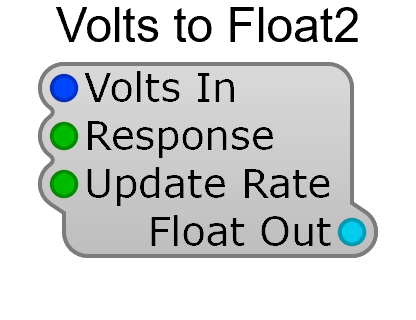
Volts to Float2 measures the level of an audio signal and hands the result to the GUI side of your patch as a plain number. It’s the module behind VU meters, level readouts and any control that needs to display what the audio is doing. It’s under Conversion in the Module Browser, and replaces the Old-category Volts to Float, whose plugs are identical.
Inputs
Section titled “Inputs”| Pin | Type | Description |
|---|---|---|
| Volts In | Audio | The signal to measure |
| Response | List | How the level is measured — dB VU, dB PPM, dB Peak, dB HeadRoom, Volts DC (Fast), Volts DC Average, Volts RMS or Clip Detect |
| Update Rate | List | How often the output is refreshed — 1, 5, 10, 20, 40 or 60 Hz |
Outputs
Section titled “Outputs”| Pin | Type | Description |
|---|---|---|
| Float Out | Control | The measured level, ready for a GUI module |
Pick Response to match what you’re showing. The dB options give the compressed, meter-like
scale a listener expects from a level display; Volts RMS and the Volts DC options report the
signal directly, which is what you want when the “level” is really a control voltage. Clip Detect reports overload rather than level.
Update Rate is a CPU-versus-smoothness trade: 10 Hz is plenty for a numeric readout, while a meter that should look fluid wants 40–60 Hz. This crosses from the audio engine to the GUI, so the rate is about how often the display refreshes, not about audio quality.
Going the other way — a GUI value into the audio engine — is Float to Volts.