
MIDI Player2
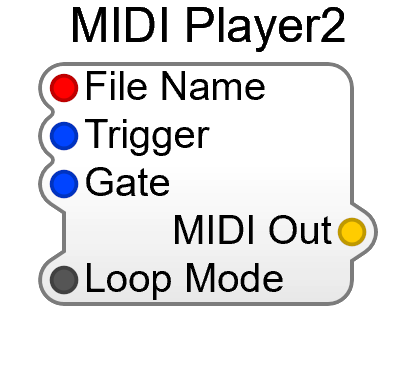
MIDI Player2 plays a standard MIDI file into your patch — a hands-free way to audition a synth, demo a preset, or feed a render. It’s under MIDI in the Module Browser, and replaces the Old-category MIDI Player.
Two things are new. Playback has its own Trigger and Gate inputs, so the transport can be driven from the patch, and tempo follows the host by default instead of being dialled in on a Tempo pin.
Inputs
Section titled “Inputs”| Pin | Type | Description |
|---|---|---|
| File Name | Filename | The .mid file to play |
| Trigger | Audio | Restarts playback from the beginning on a rising edge |
| Gate | Audio | Playback runs while this is high |
| Tempo from | List | Host (default) follows the host’s tempo; MIDI File uses the tempo map stored in the file. Minimised by default. |
| Loop Mode | Bool | Repeat the file instead of stopping at the end |
Outputs
Section titled “Outputs”| Pin | Type | Description |
|---|---|---|
| MIDI Out | MIDI | The file’s MIDI stream |
Wire MIDI Out to a MIDI-CV 2’s MIDI In, exactly as you would an on-screen Keyboard (MIDI).
If the file is part of a project you intend to export, put it in the project’s .resources
folder so it travels inside the plugin — see
Including Audio, MIDI and SoundFont Files.
For rendering a MIDI performance straight to a WAV rather than playing it live, see Rendering to Disk.