
Plugin UI Scale
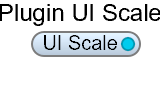
The Plugin UI Scale module connects to the host control Plugin/UIScale — the zoom factor applied to your exported VST3 / AU plugin’s window. Use it to let the user resize the plugin GUI at runtime, as described in the Resizable Plugin Windows guide.
Found in the Module Browser under Special.
| Pin | Type | Description |
|---|---|---|
| UI Scale | Float | The window scale factor — 1.0 is 100%. Carries values in both directions: read it for the current size, write to it to resize the window. |
The plugin window’s physical size is the panel size you designed × this scale factor × the system/host DPI factor. The panel isn’t re-laid-out at the new size, it’s zoomed — so the layout can’t break, and everything redraws crisply.
The scale factor is a private host control. It never appears in the DAW’s automation list, and it is not stored in presets — every fresh plugin instance opens at 100%.
Typically driven by a drop-down of fixed sizes (50%, 75%, 100%, 150%, 200%). See Resizable Plugin Windows for the full patch.