
Sample Oscillator
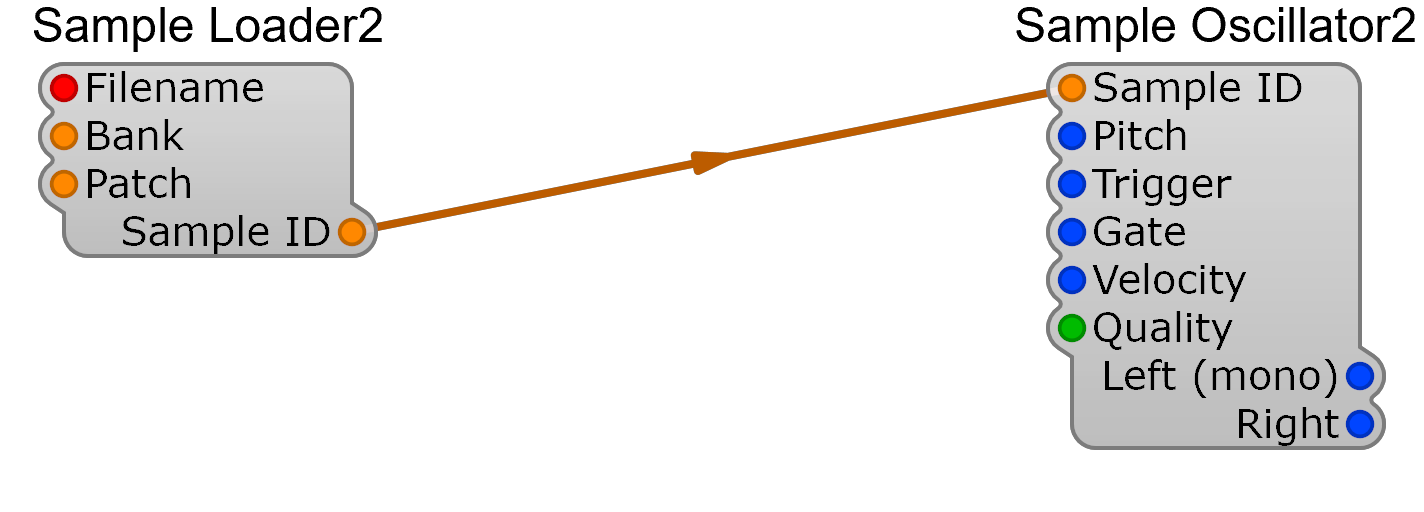
Sample playback in SynthEdit is split between two modules that work as a pair: Sample Loader2 reads the audio file from disk and publishes it as a Sample ID, and Sample Oscillator2 consumes that Sample ID and plays it back at a chosen pitch and trigger. Wiring the Loader’s Sample ID output into the Oscillator’s Sample ID input is what binds the two halves together.
If you just want sample playback in your patch, drop in the Examples/Sample Oscillator2 prefab — it ships pre-wired with a MIDI to CV stage and is the recommended starting point. Use the two modules directly when you need finer control (multiple oscillators sharing one loaded sample, custom voice routing, etc.).
Sample Loader2
Section titled “Sample Loader2”Loads an audio file from disk and exposes it via the Sample ID pin.
Inputs
Section titled “Inputs”| Pin | Type | Description |
|---|---|---|
| Filename | Text | Path to the audio file (WAV, AIFF, SoundFont 2) |
| Bank | Control | SoundFont bank number (SF2 only — ignored for plain audio files) |
| Patch | Control | SoundFont patch / program number (SF2 only) |
Outputs
Section titled “Outputs”| Pin | Type | Description |
|---|---|---|
| Sample ID | Control | Identifier referencing the loaded sample. Wire to Sample Oscillator2’s Sample ID input. |
Sample Oscillator2
Section titled “Sample Oscillator2”Plays back the sample at a given pitch.
Inputs
Section titled “Inputs”| Pin | Type | Description |
|---|---|---|
| Sample ID | Control | Sample reference from Sample Loader2 |
| Pitch | Audio | Note pitch (1V/octave, 5V = 440 Hz) |
| Trigger | Audio | Restarts playback from the start of the sample |
| Gate | Audio | Note on/off (> 0V = held) |
| Velocity | Audio | Selects between velocity-split layers (SF2) and may be mapped to volume by the sample |
| Quality | List | Interpolation quality — higher costs more CPU |
Outputs
Section titled “Outputs”| Pin | Type | Description |
|---|---|---|
| Left (mono) | Audio | Left channel (or mono content) |
| Right | Audio | Right channel |
Usage Notes
Section titled “Usage Notes”- The whole sample is loaded into memory by Sample Loader2 — large files increase the patch’s RAM footprint.
- Velocity does not control volume by itself — for amplitude shaping, follow the oscillator with a VCA driven by an ADSR envelope.
- Bank and Patch are only meaningful for SoundFont 2 files; for a single WAV/AIFF, leave them at their defaults.
- Multiple Sample Oscillator2 modules can read from a single Sample Loader2 by sharing the Sample ID output — useful for polyphonic sample playback without re-loading the file.
- For VST distribution, place sample files alongside the plugin and use relative paths in the Filename pin. See the Creating VST Plugins guide for details.